A laptop is one of the most expensive and fragile items most people carry every day, yet the way we carry it often gets the least thought. The right padded laptop bag does more than hold a computer: it absorbs the shocks of daily commutes, protects against scratches and moisture, and keeps your accessories organized so nothing rattles around inside. The core question is not whether you need padding, but what kind of padding, what materials, and what design details actually protect a laptop over months of real-world use. Understanding how impact protection works, what separates a quality bag from a fashion accessory with a sleeve, and how to evaluate construction will help you choose a bag that keeps your laptop safe for years.
How Padding Works: Turning Impact Into Protection
Padding protects a laptop through a simple physical principle: spreading the force of an impact across a larger area and over a longer time. When a bag drops, the energy of the fall is concentrated at the point of contact; a hard-shell surface transfers that energy directly to the laptop frame. A padded laptop bag uses a layer of compressible foam around the laptop compartment that deforms on impact, absorbing part of the energy and slowing the deceleration the laptop experiences. The most protective designs use closed-cell foam, which resists compression over time, or molded high-density foam that holds a precise shape around the laptop corners, where damage most often occurs. Thickness matters too: a padding layer of roughly 8 to 15 millimeters around the laptop is a reasonable benchmark for everyday protection, while anything thinner offers limited shock absorption. The padding must also be supported by a structured base, because foam that can be pushed straight through a flimsy bottom offers little real protection.
Materials That Make a Padded Laptop Bag Durable
The outer material determines how long the bag keeps protecting. Nylon and polyester are the two most common choices for laptop bags, and both are strong, lightweight, and water-resistant when treated with a durable water-repellent finish. Higher-denier fabrics, such as 600D or 840D nylon, resist abrasion and tearing better than lighter weaves, making them a sensible choice for daily commuters who set the bag down on trains, floors, and airport carousels. Zippers are the second-most important material decision: a quality bag uses zippers with smooth, corrosion-resistant sliders and reinforced stitching at the stress points, since a failed zipper can expose the laptop compartment to the elements. The lining inside the laptop sleeve matters as well: a soft, non-abrasive lining prevents the laptop surface from being scratched as it slides in and out, and a water-resistant inner membrane adds a second line of defense against spills and light rain.
Fit, Ergonomics, and Everyday Comfort
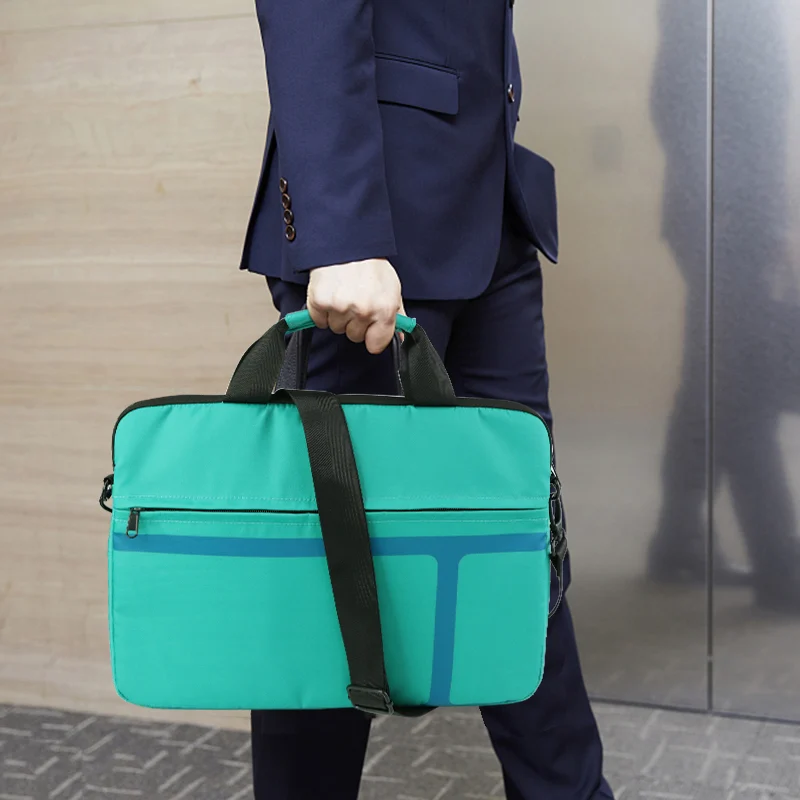
A padded laptop bag that fits poorly fails at protection no matter how good the foam is. The laptop compartment should hold the computer snugly, with little room for lateral movement, because a laptop that shifts inside the bag is more likely to hit the edges of the compartment during transit. Before buying, check the compartment dimensions against your laptop size, and remember that some manufacturers state a laptop size range rather than exact internal dimensions, so measuring is worthwhile. Ergonomics are just as important as fit. A bag that will be carried for long periods should have padded, adjustable shoulder straps with a comfortable grip, and the overall weight distribution should keep the heaviest items close to your back rather than hanging away from your body. Features such as a trolley strap that slides over suitcase handles make airport travel considerably easier, and a water-bottle pocket or front organization panel turns a simple padded laptop bag into a complete daily carry.
Smart Organization for the Modern Carry
Protection is only half of what a padded laptop bag must deliver; the other half is organization. A dedicated padded laptop sleeve is essential, but a truly practical design adds purpose-built compartments: a tablet sleeve, quick-access pockets for phone and charger, a pen loop, and a zippered pocket for documents or small accessories. Separating these items matters for protection too, because a loose charger with a metal plug bouncing against the laptop during transit can dent or scratch the device even inside a padded main compartment. Some bags add a luggage pass-through, a hidden back pocket for valuables, or a key leash, details that reflect genuine design experience rather than marketing decoration. When you evaluate a laptop bag, open every pocket, test the zipper movement, and consider whether the organization matches how you actually pack, because the best protection is a bag you reach for every day.
A Practical Sourcing Scenario for Brands and Retailers
For brands developing a custom laptop bag line, protection claims need to be translated into verifiable specifications. In our experience working with clients on laptop bag development, the most successful product briefs specify the foam density and thickness, the fabric denier and water-repellent treatment, the zipper brand and gauge, and the exact compartment dimensions for each laptop size the bag will fit. It is also worth asking the manufacturer how the padding is fixed in place, whether the laptop sleeve has a raised padded base so the laptop never sits directly on the bottom of the bag, and what quality checks are performed on zippers and stitching before shipment. A manufacturer that answers these questions with concrete production details, backed by experience in premium materials, impact protection, and ergonomic design, is far more likely to deliver a bag that performs as advertised. Buyers should request samples and test the padding compression themselves, since a quick drop test on a hard floor is more convincing than any specification sheet.
Q: How thick should laptop bag padding be?
A: As a general benchmark, 8 to 15 millimeters of compressible foam around the laptop compartment offers reasonable everyday protection. Thicker, higher-density foam gives more shock absorption, but the bag becomes bulkier, so the right choice depends on how you carry it.
Q: Can a padded laptop bag protect against water?
A: Most padded laptop bags are water-resistant rather than waterproof: a durable water-repellent finish sheds light rain and splashes, and a water-resistant inner membrane protects the laptop sleeve. For heavy rain, use a rain cover or a fully waterproof bag.
Q: How do I clean a padded laptop bag without damaging the padding?
A: Spot-clean the exterior with a damp cloth and mild soap, and avoid machine washing, which can compress the foam and distort the bag's shape. If the bag is heavily soiled, check the care label, and air-dry it away from direct heat.
Q: Should the laptop compartment be at the back of the bag?
A: Yes, for most backpack-style designs. A compartment positioned against your back keeps the laptop closer to your body, reducing leverage on your shoulders and protecting the screen from pressure when the bag is set down or stacked.


 Hot News